A worked example

One requirement, its whole life — on the record.

Follow a single requirement from the moment it’s written to the moment you hand its history to an auditor. At each step, see exactly what ROPARC records — and why that record can be verified, not just viewed.

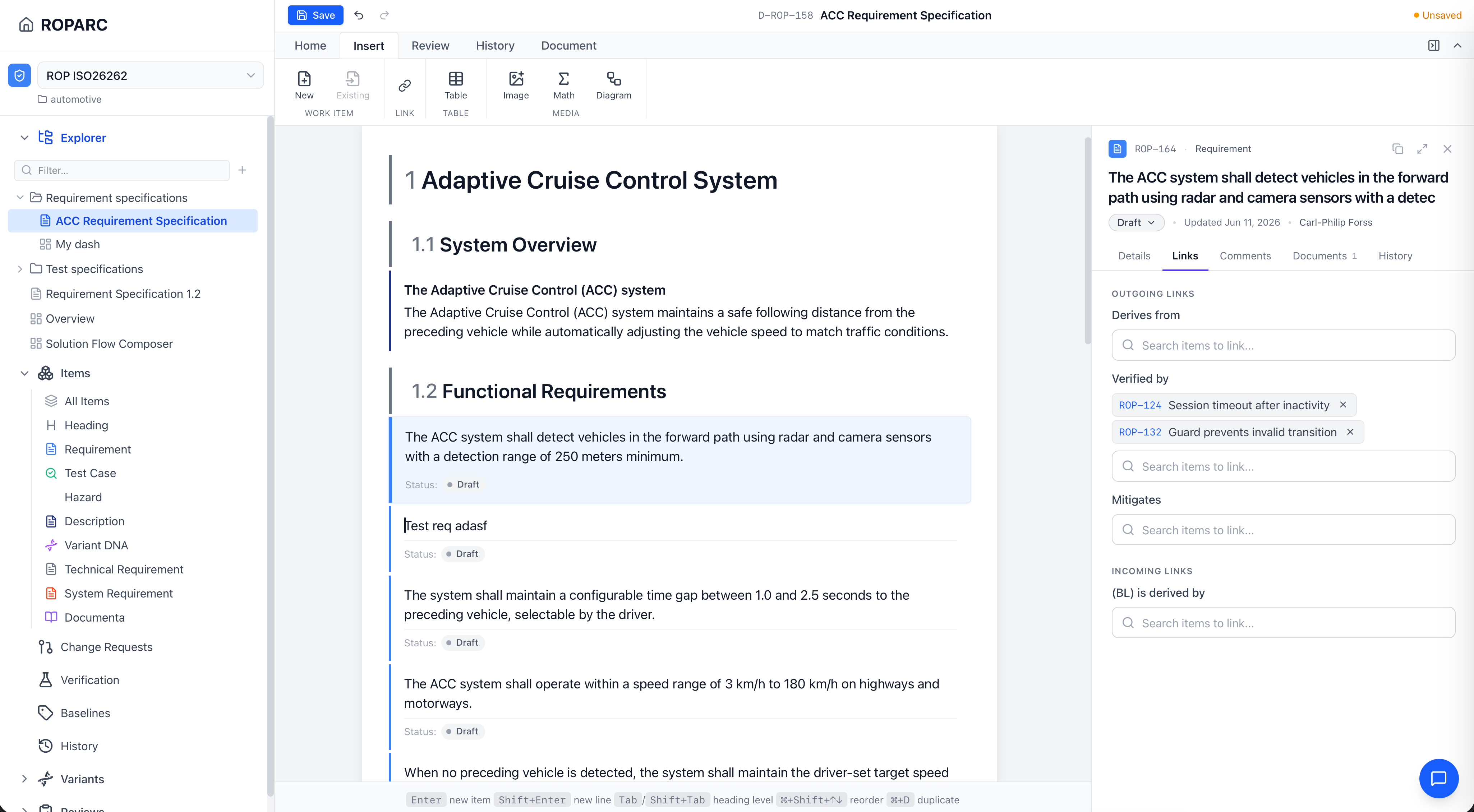
The document editor showing a numbered Adaptive Cruise Control specification with an item details panel open.
01

A requirement is created

An engineer authors a requirement inside a structured, auto-numbered document. The moment it is saved, the new item — its text, attributes, and place in the hierarchy — is written as a commit, stamped with the author and an exact timestamp.

Recorded: the requirement’s initial content and who wrote it.

Document editor
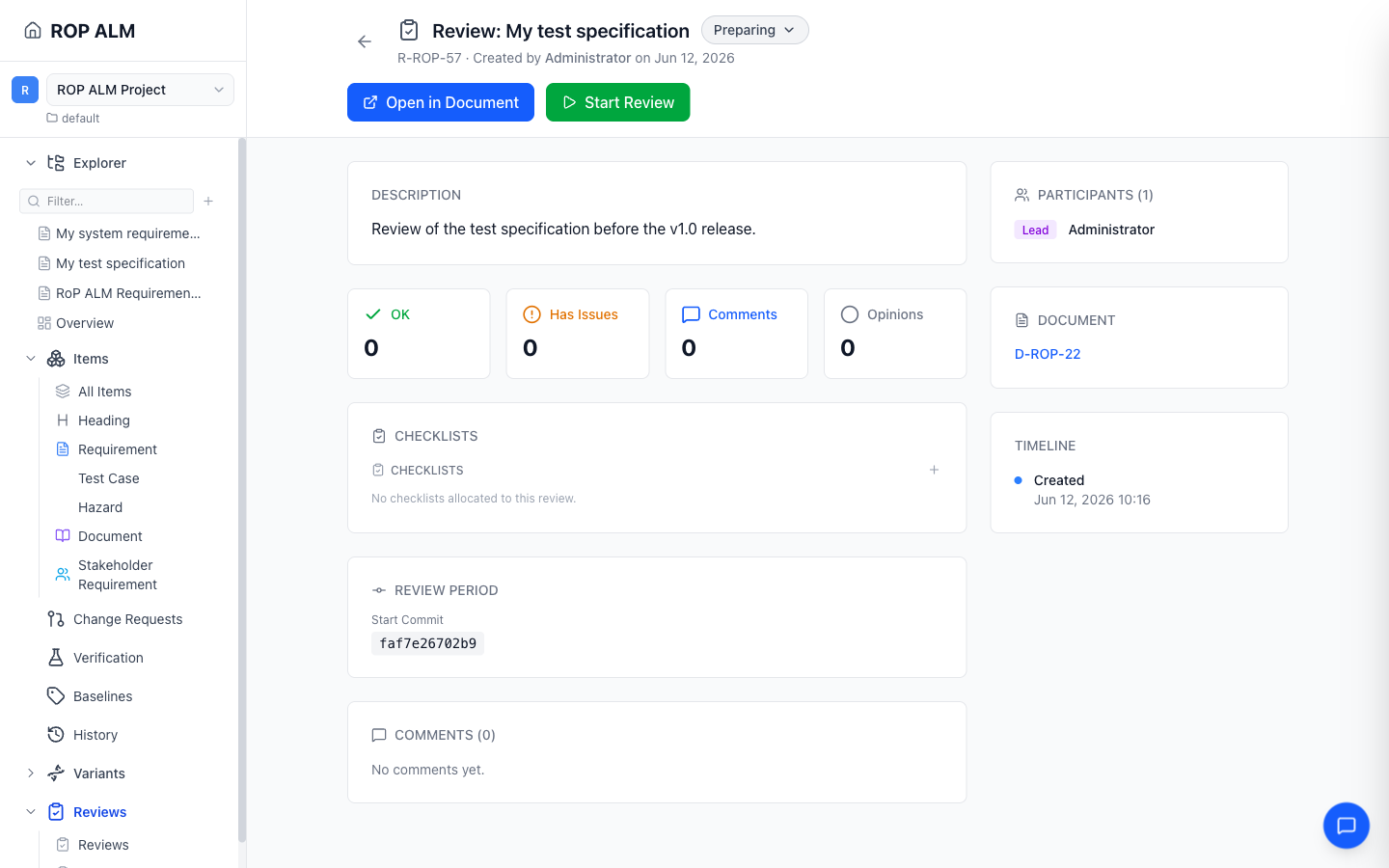
A review detail view showing reviewer opinions and checklist responses.
02

Reviewers weigh in

The requirement goes through a structured review. Reviewers record opinions against a protocol or checklist — approve, reject, comment — and every response is captured per review and versioned alongside the item it concerns. The review is part of the record, not a comment thread that disappears.

Recorded: who reviewed it, what they said, and against which checklist.

Reviews
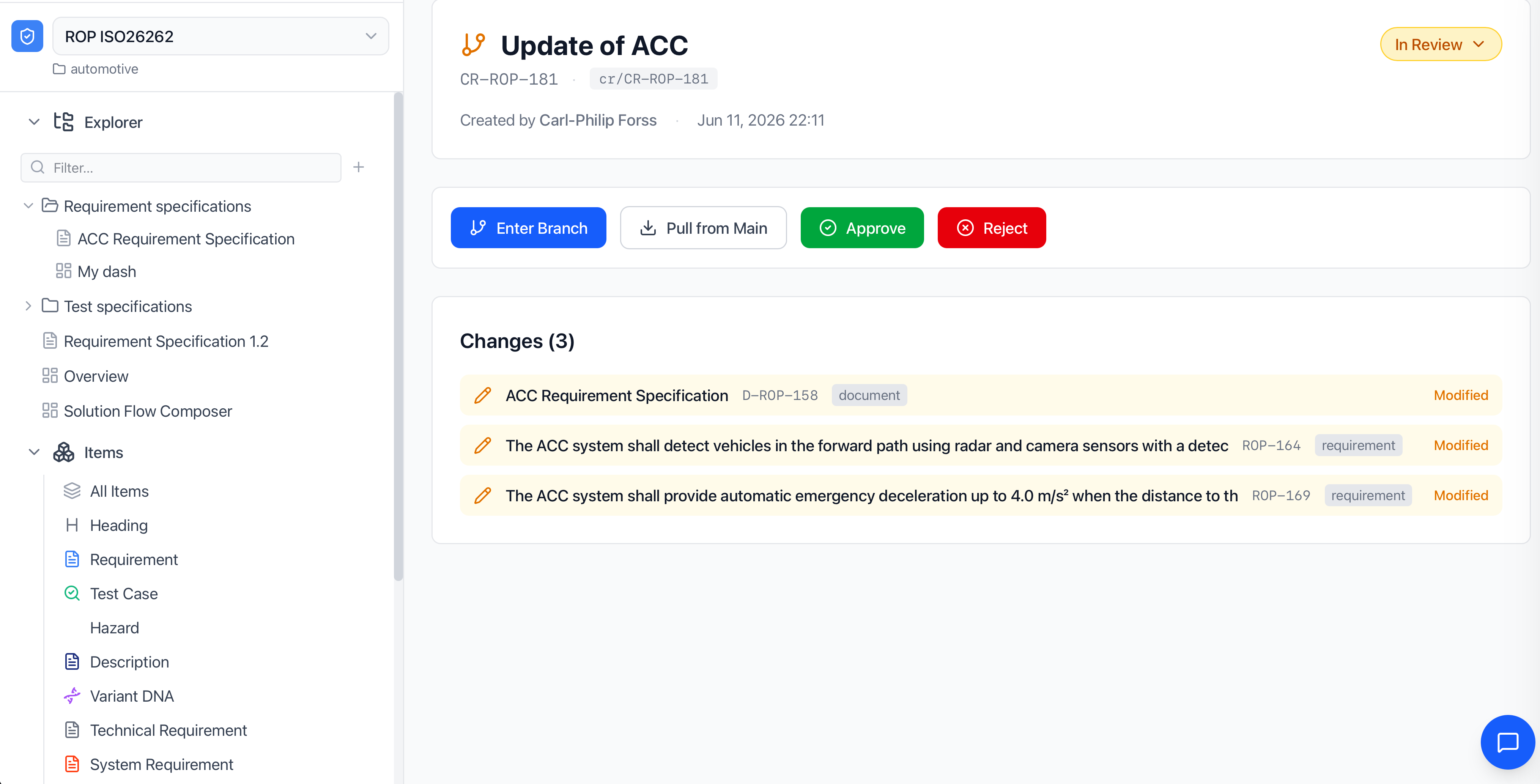
A change request "Update of ACC" in review, showing Enter Branch / Approve / Reject actions and a list of modified items.
03

A change is proposed — on a branch

Someone needs to change the requirement. Instead of editing it in place, they open a change request, which creates an isolated branch. Edits accumulate against the change request without touching the approved baseline that everyone else is working from.

Recorded: every edit, isolated against the change request that owns it.

Change requests
A document in compare mode with track-changes redlines — inserted text highlighted, removed text struck through.
04

The change is reviewed as a diff, then approved

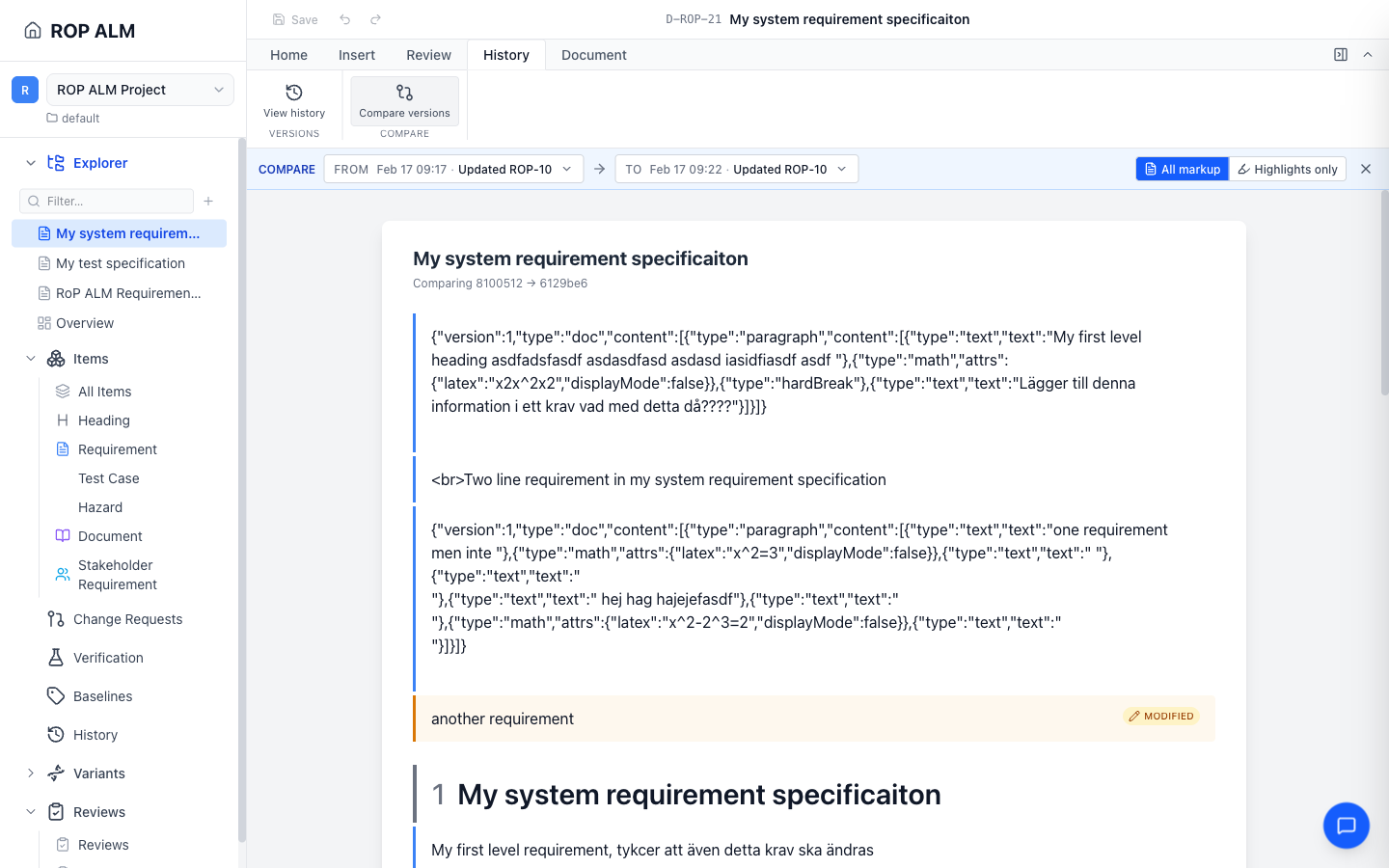
Reviewers see the complete before/after diff of every affected item — field-level redlines, not a vague summary — before anything lands. Approval is a workflow transition with guards, so an invalid or unauthorised move is blocked. On approval, the branch merges to main in one move.

Recorded: exactly what changed, who approved it, and when it merged.

History & diff
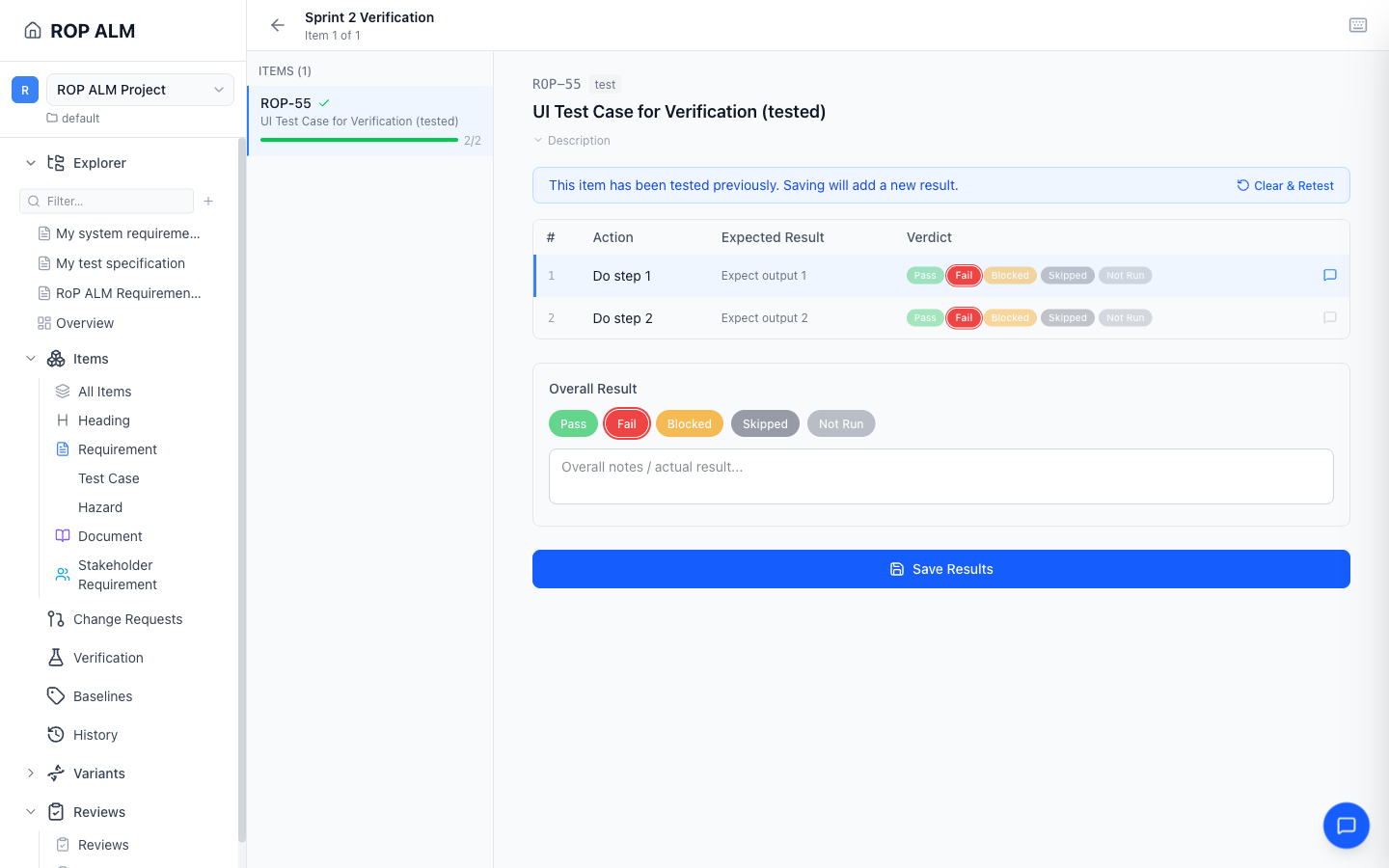
A verification execution view linking a requirement to its test case and result.
05

It’s linked to a test — and stays honest

The requirement is traced to the test case that verifies it. When the requirement later changes, the link is automatically flagged as suspect, so coverage can’t silently rot. Traceability from requirement to test to result is queryable, not maintained by hand in a spreadsheet.

Recorded: the trace link, its verification result, and any suspect-link flags.

Item links
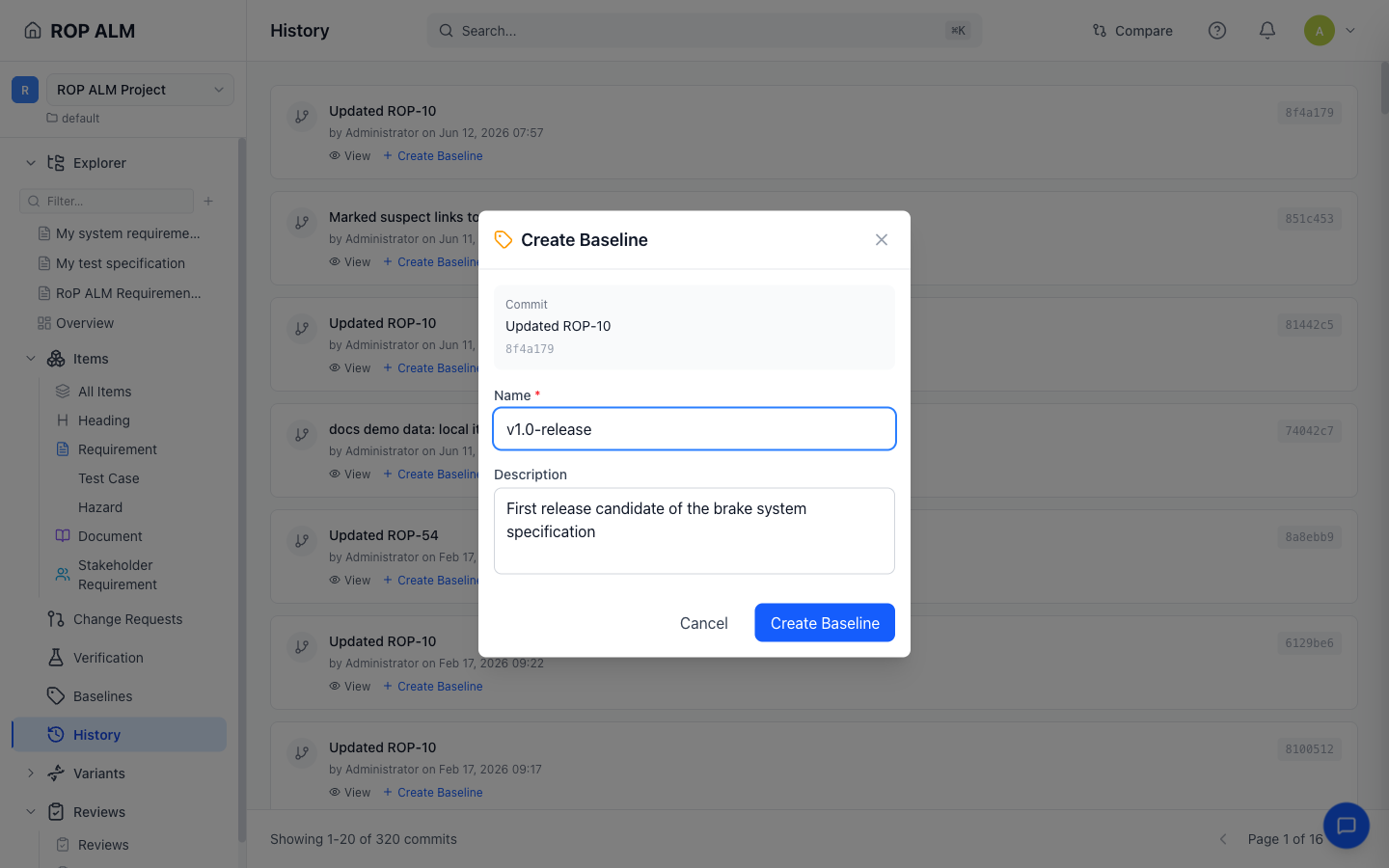
The create-baseline dialog capturing a named point in the project history.
06

A baseline is captured

At a milestone — a release, a design review, a submission — the team captures a baseline. Because history is a commit graph, a baseline is just a named point in it: an immutable reference to the exact state of every item and document at that moment. You can browse the whole project as it was at any baseline.

Recorded: an immutable, named snapshot of the entire project state.

Baselines
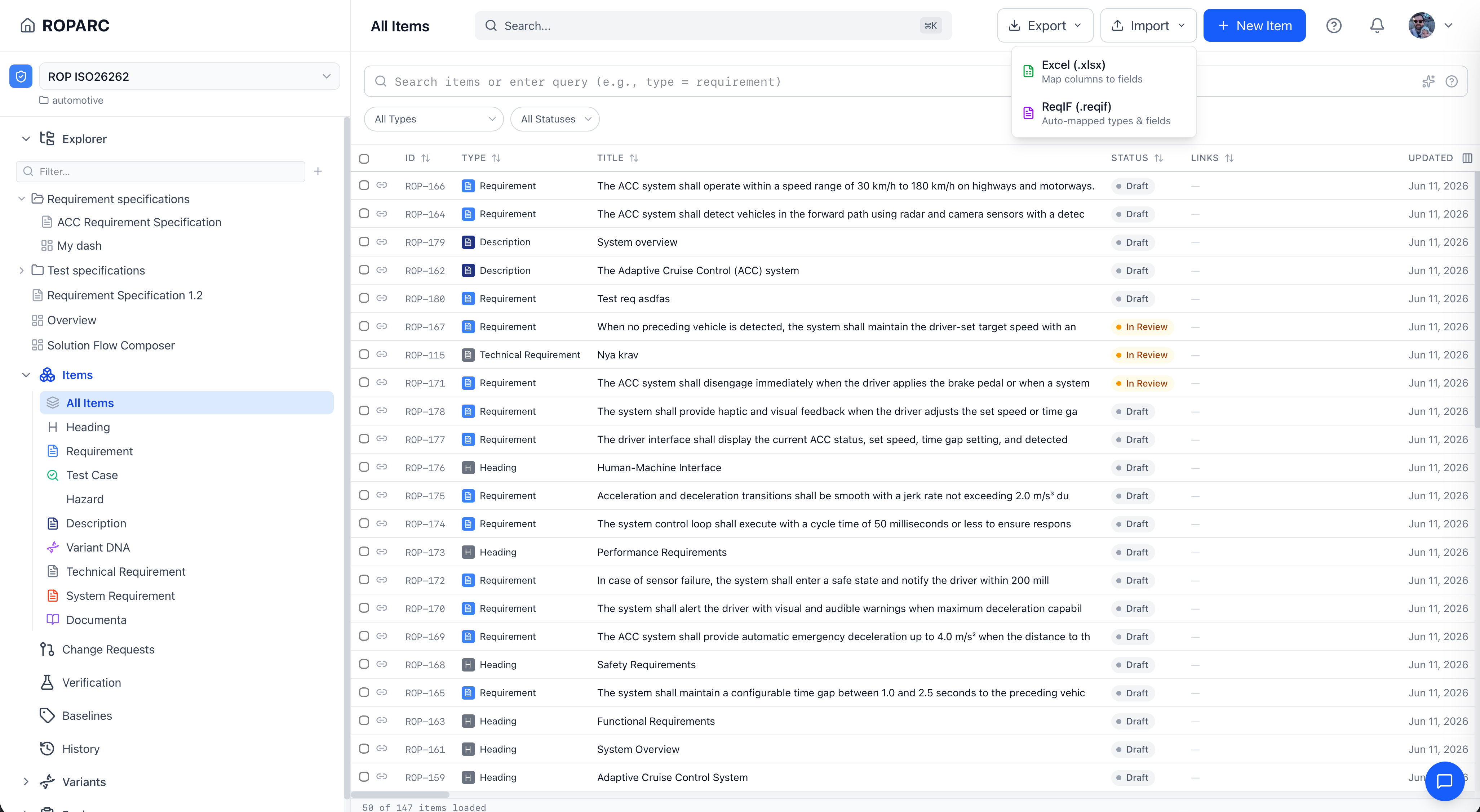
The items list with the Export menu open, offering Excel (.xlsx) and ReqIF (.reqif) formats.
07

The full history is exported as evidence

When an assessor, customer, or supplier needs proof, you export it — requirements and traceability to ReqIF or Excel, or the entire repository as plain Git. The exported history includes every change and who made it, and a third party can reconstruct it with ordinary tools. No ROPARC required to read your own evidence.

Recorded: portable, verifiable evidence — yours to take anywhere.

Import & export

What this gives an assessor

The point of recording all of this isn’t the record for its own sake. It’s what someone can do with it when the work is assessed. From the trail above, an auditor — or a customer, or a future you — can:

  • Reconstruct the complete decision history for any requirement, from creation to today.
  • Confirm the history is unaltered — every commit hash depends on the one before it, so tampering breaks the chain visibly.
  • See who approved each change, against which review checklist, and when it merged.
  • Browse the project exactly as it stood at any baseline — release, design review, or submission.
  • Take a full, readable copy of the evidence with standard tools, independent of the vendor.

That last point is the one most tools can’t offer: the history isn’t a report the application generates and asks you to trust — it’s the storage itself, tamper-evident by construction. We explain the mechanics on the security page.

Run this with your own workflow

Bring a real requirement and a real review process. We’re onboarding a limited number of beta teams in regulated engineering — free during the beta.

Request beta access