Configuration Inheritance
Everything that defines how you work in ROPARC — work item types, custom fields, link types, enumerations, workflows, traceability rules — is configuration. Instead of configuring every project from scratch (or copy-pasting a “template project” and watching the copies drift apart), ROPARC resolves configuration through a three-tier inheritance hierarchy:
Global configuration          (the whole installation)
  └── Workarea group          (a family of related workareas)
        └── Workarea          (one project)
Each workarea sees the merged result of all three tiers. A tier only has to define what is specific to it — everything else flows down from above.
Why inheritance?
In most ALM tools, project configuration is either fully central (every project identical, change requests go through one admin team) or fully local (every project drifts into its own dialect, and “requirement” means something different in each one). Inheritance gives you both:
- Standardize once. Define your organization’s core types — Requirement, Test Case, Hazard — globally. Every workarea gets them automatically, including future workareas.
- Specialize per domain. Put domain rules in a group: an Automotive group can add a Safety Goal type and an ASIL enumeration that every automotive program inherits — without those appearing in your IT projects.
- Adapt per project. A single workarea can still add its own types and fields, or extend an inherited type, without asking a site admin and without affecting any other workarea.
- Change in one place. Add an option to a global enumeration and every workarea that inherits it picks it up. There are no stale copies to chase.
A workarea cannot break the standard. Lower tiers can add and extend, and in specific, clearly-marked cases override — but they can never delete something defined above them. An inherited type always exists in every workarea below it.
The three tiers
| Tier | Managed at | Managed by | Typical content |
|---|---|---|---|
| Global | Administration → Site → Global Configuration | Site administrators | The organization-wide vocabulary: core item types, link types, enumerations, workflows |
| Workarea group | Administration → Site → Workarea Groups | Site administrators | Domain or process-line standards: extra types, fields, and enums shared by a family of workareas |
| Workarea | Settings inside the workarea | Workarea administrators | Project-specific additions and customizations |
Every workarea belongs to exactly one group (chosen at creation, shown read-only under Settings → Project). Groups do not nest — the hierarchy is always exactly these three levels.
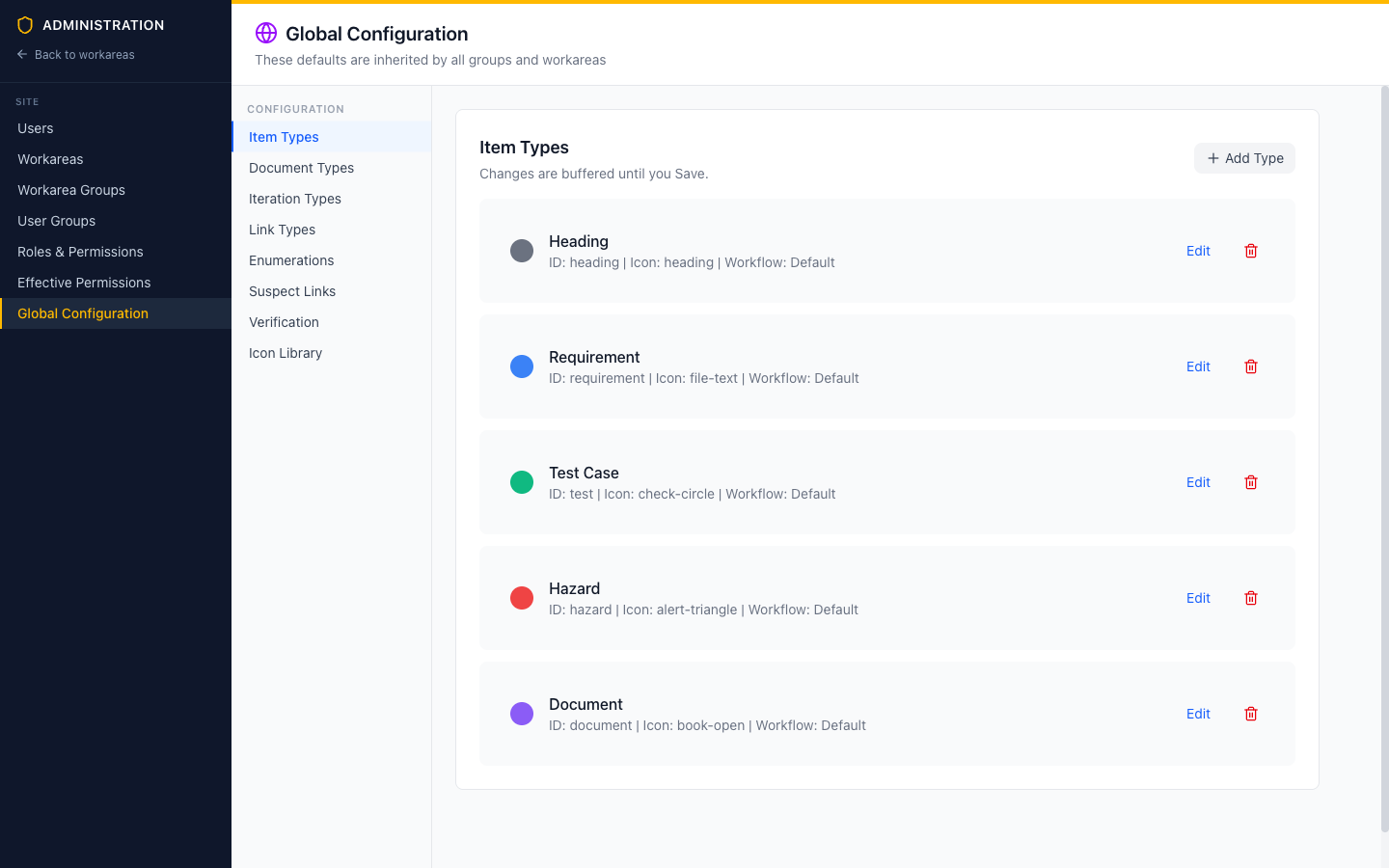 Global Configuration defines the defaults inherited by all groups and workareas.
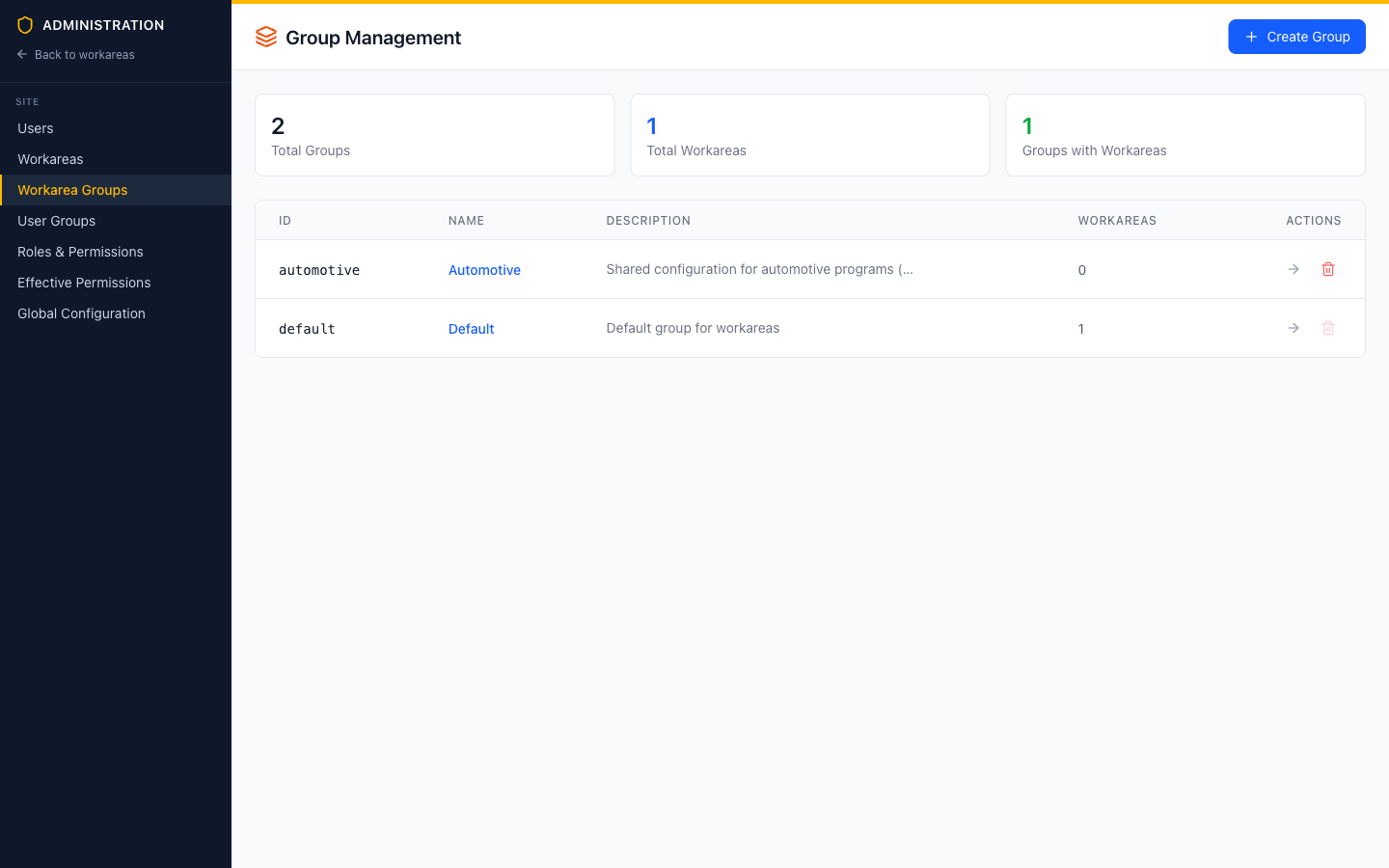 Groups sit between global configuration and workareas. Each group carries its own configuration layer.
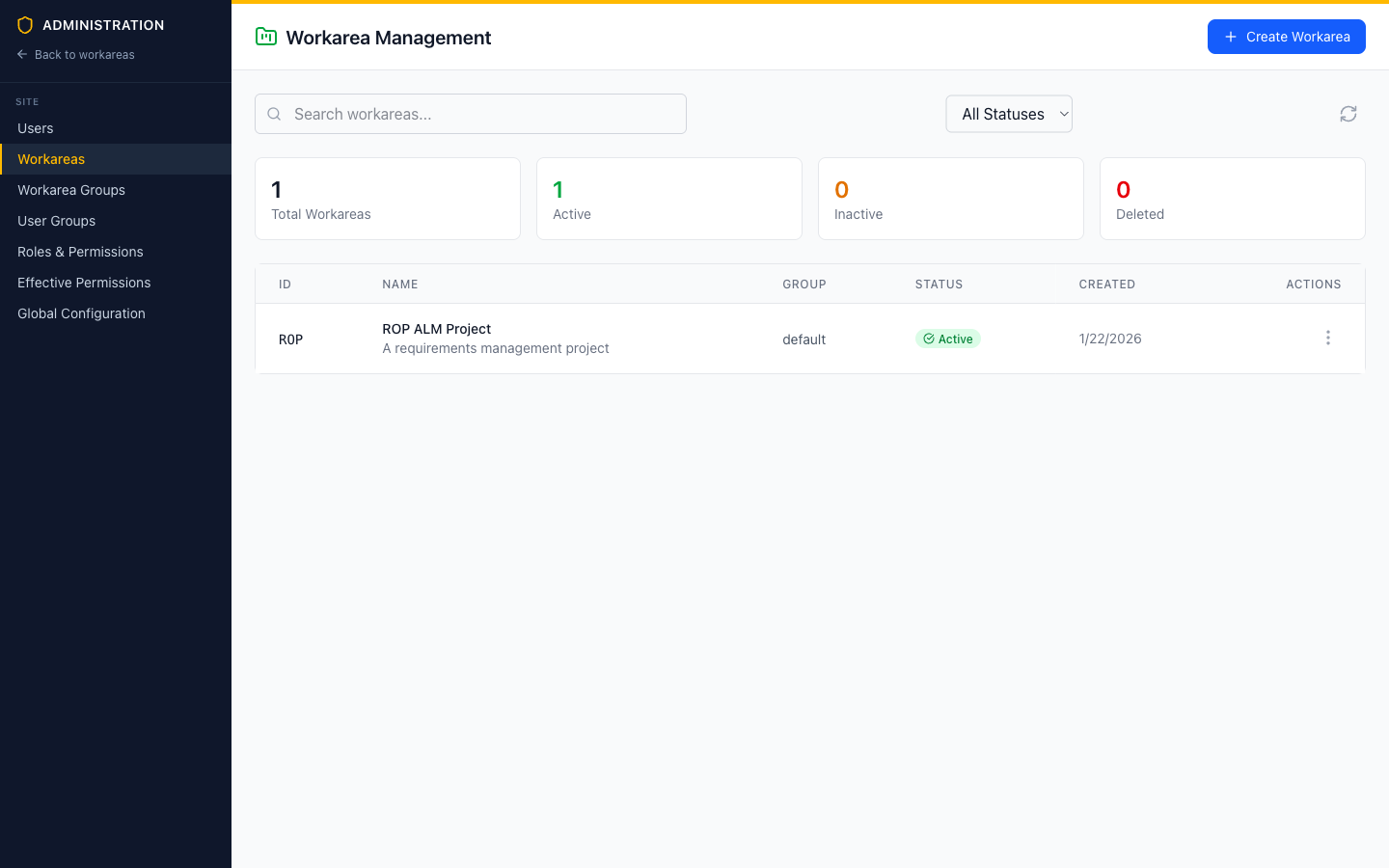 Each workarea belongs to exactly one group.
How resolution works
When a workarea’s configuration is resolved, ROPARC walks the tiers from global down to the workarea and merges them. The rules are designed so that the closest definition wins, while everything not explicitly redefined is preserved:
- New entries add. A type, enumeration, or workflow defined only at one tier simply appears in the merged result.
- Same-name entries merge, property by property. If a workarea redefines an inherited item type, it doesn’t replace it — it patches it. Properties the workarea sets (say, a different color) win; properties it leaves empty (the label, the icon) continue to come from the parent. Custom fields merge by field key.
- Explicit override is opt-in. Where wholesale replacement is genuinely wanted — replacing an enumeration’s option list, or replacing a type’s inherited fields — there is an explicit Override / Replace switch. Nothing is replaced silently.
- Workflows are the exception: they never merge. A workflow redefined at a lower tier replaces the inherited one completely. State machines are atomic — merging two of them status-by-status would produce workflows nobody designed.
The same rules apply between global and group as between group and workarea: the group patches global, then the workarea patches that result.
| Configuration | Merge behavior | Details |
|---|---|---|
| Item / document / link / iteration / change request types | Patch per property; fields merge by key | Type & Field Inheritance |
| Enumerations | Inherited options are immutable; lower tiers add options (or explicitly override) | Enumeration Inheritance |
| Workflows | Replaced wholesale by name | Workflow & Policy Inheritance |
| Suspect links, verification, variants | Per-setting: closest tier that sets a value wins | Workflow & Policy Inheritance |
Inherited vs. local in the Settings UI
Workarea Settings always shows you the resolved picture, and marks where each entry comes from:
- Entries flowing down from global or the group carry an Inherited badge and are read-only. A Customize button creates a local override for that entry.
- Entries defined (or customized) in this workarea are editable, with a Remove local override action that deletes only the local layer — the inherited definition resurfaces unchanged.
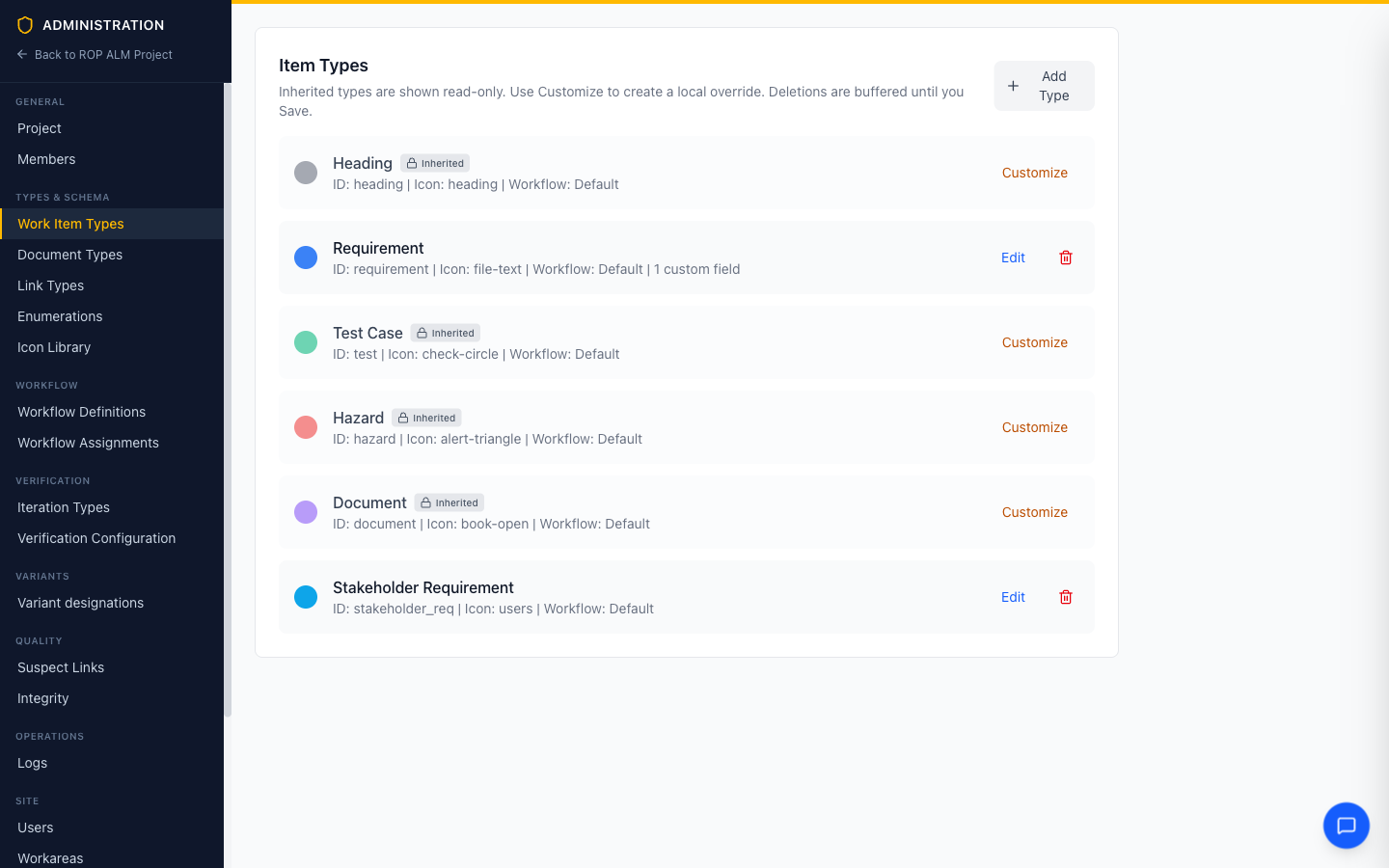 This workarea inherits Heading, Description, Technical Requirement, Design Requirement, Test Case, and Issue unchanged; has customized System Requirement (adding one custom field); and added its own Stakeholder Requirement type.
A worked example
A typical setup for an automotive supplier:
Global (site admin, once):
- Item types:
Heading,Requirement,Test Case,Hazard,Document - Link types:
derives from,verified by,mitigates - Enumerations:
priority(Low / Medium / High / Critical),verdict,verification method
Automotive group (site admin, once per domain):
- Item type
Safety Goalwith anASILfield - Enumeration
asil(QM, ASIL A–D)
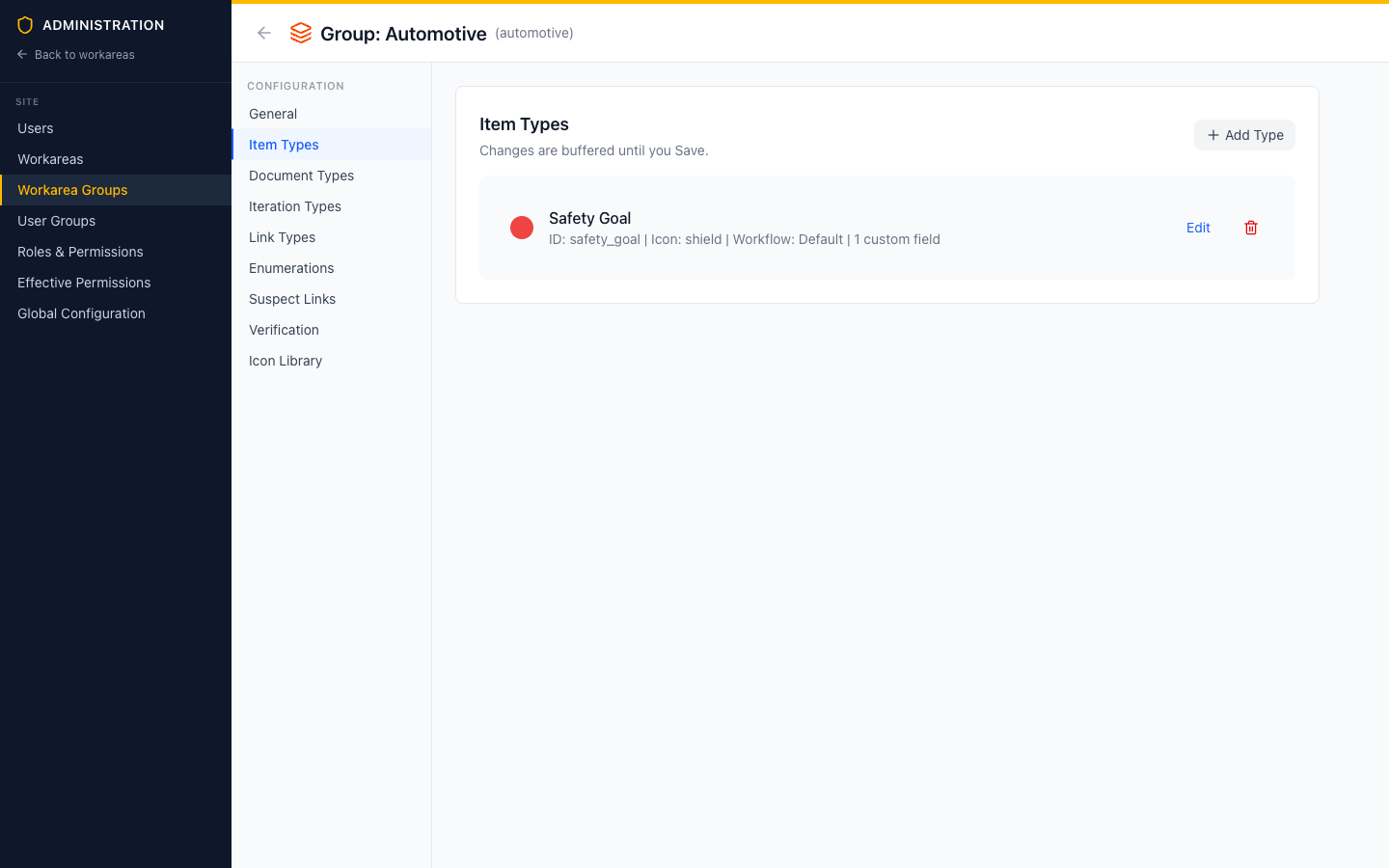 The Automotive group adds a Safety Goal type. Every workarea in this group inherits it; workareas in other groups never see it.
One workarea in that group (workarea admin, as needed):
- Adds a local
Stakeholder Requirementtype - Customizes the inherited
Requirementtype with an extraRationalefield - Adds a
Blockeroption to the inheritedpriorityenumeration
The workarea’s resolved configuration is the sum of all three — and when the site admin later adds a global link type, this workarea (and every other one) gets it on the spot.
Versioning and audit
Each tier’s configuration is stored as files in Git — global and group configuration in the site repository, workarea configuration in the workarea’s own repository. Every change is a commit: you get full history, diffs, and accountability for configuration the same way you do for content. Baselines capture the resolved configuration as it stood at that moment, so historical baselines render with the types and enumerations of their time.
Related topics
- Type & Field Inheritance — exact merge rules for types and custom fields
- Enumeration Inheritance — adding options vs. overriding option lists
- Workflow & Policy Inheritance — workflows, suspect links, verification, variants
- Site Administration — managing global configuration, groups, and workareas
- Workarea Administration — the workarea Settings page