Review Protocol
The review protocol is a generated summary created when a review is closed with Close Review. It provides a formal record of the review outcomes.
Accessing the Protocol
- Open a review from the Reviews list
- Click View Protocol in the review header (it appears once a protocol exists)
A protocol is generated automatically when a review is closed. You can also (re)build one at any status with Generate report in the review header.
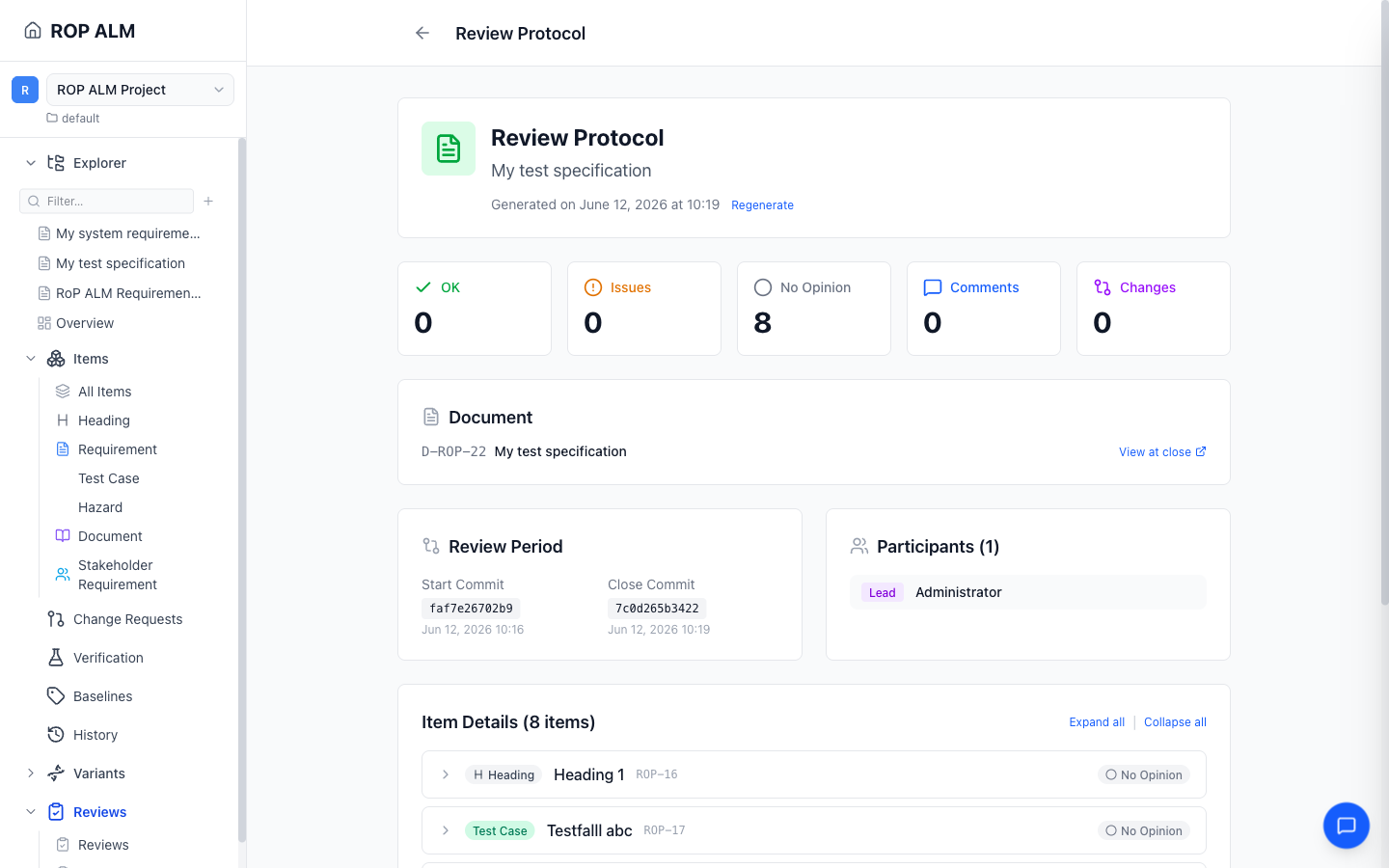
Protocol Contents
Summary Cards
Counts across every reviewed document: OK, Issues, No Opinion, Comments (with the unresolved count), and Changes (items added, modified, and deleted during the review period).
Documents
A review may span multiple documents. The Document(s) section lists every document in scope, each with a View at close link that opens it exactly as it was at the close commit.
Item-by-Item Summary
For each item in the review:
- Opinions from each reviewer (OK or Has Issues)
- Comments associated with the item
- Change status — whether the item was added, modified, deleted, or unchanged between the review’s start and close commits
When the review covers more than one document, the item details are grouped per document (with a per-document item and issue count). Items with issues, comments, or changes are expanded by default; expand/collapse-all controls are at the top of the list.
Checklist Completion
The Checklists Used section summarizes all allocated checklists, grouped as Entry Criteria, Exit Criteria, and Per Item, with required-vs-total completion for each.
Review Period
The review is pinned to git commits: the start commit captured when the review was created and the close commit recorded at closing. The protocol shows both (as shortened commit IDs), the participant list with roles, and when the protocol was generated.
Tools
- View at close — opens a reviewed document exactly as it was at the close commit (one link per in-scope document)
- Regenerate — rebuilds the protocol against the original close commit (requires review-close permission)
Using Protocols
Review protocols serve as formal evidence that a review was conducted. They are stored in Git alongside your workarea data, providing a permanent audit trail. Use protocols to:
- Demonstrate compliance with review requirements
- Reference review outcomes in future discussions
- Track what feedback was given on specific items