User Groups
A user group is a named collection of users that can hold roles as a unit. Instead of assigning the same role to fifteen people one by one — and remembering all fifteen places when the team changes — you assign the role to the group once. Membership changes propagate automatically: joining the group grants everything the group holds, leaving it revokes it.
Requires site administration access. User groups are managed at Administration → Site → Access & Security → User Groups.
Not the same as workarea groups. A user group collects people; a workarea group collects workareas (and is the middle tier of the scope hierarchy). A user group’s role grants can target either.
Managing user groups
The User Groups page lists every group with its member count and role grants. Click a group to open it, or click New user group to create one.
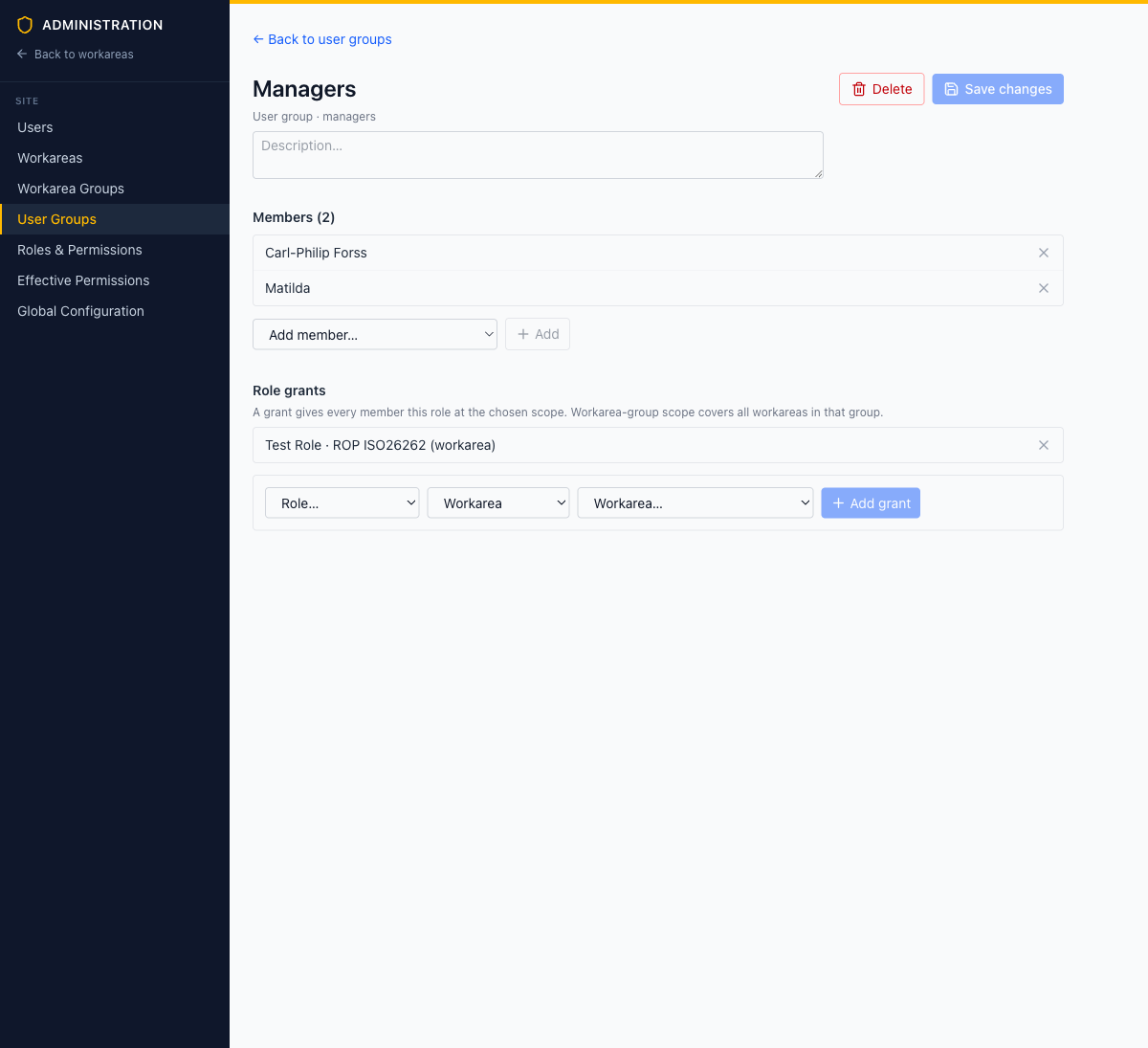
A group’s detail page has three parts:
Name and description
Free-form label and explanatory text. The group’s ID (shown under the name) is fixed at creation.
Members
The list of users in the group. Add users with the Add member… dropdown; remove them with the × button. Membership changes take effect for all of the group’s role grants at once.
Role grants
Each grant gives every member a role at a chosen scope:
- Pick a Role — any role defined in Roles & Permissions
- Pick a scope: Site-wide, Workarea group, or Workarea
- For workarea-group or workarea scope, pick the target group or workarea
- Click Add grant
A workarea-group scope covers all workareas in that group — granting Editor on the Automotive group makes every member an editor in every Automotive workarea.
Note: Edits are batched — nothing is applied until you click Save changes.
When to use a user group vs. direct membership
| Situation | Use |
|---|---|
| One person needs access to one workarea | Direct workarea membership |
| A team needs the same role across one or more workareas | A user group with a workarea or workarea-group grant |
| A role spans the whole installation (e.g. auditors) | A user group with a site-wide grant |
Both routes combine: a user’s effective permissions are the union of their direct memberships, their site roles, and everything via user groups. Use the Effective Permissions inspector to see the combined result for any user.