Enumeration Inheritance
Enumerations (option lists for select fields — see Enumerations) have the strictest inheritance rules of all configuration, because their values are stored on items. If a workarea could quietly redefine what critical means, shared dashboards and cross-workarea reports would lie. For the overall model, start with Configuration Inheritance.
The default: inherit and add
When a parent tier defines an enumeration, lower tiers see it with all of its options. In the default Inherit mode, a lower tier can only add new options:
- Inherited options are read-only — you cannot relabel, recolor, reorder, or remove them locally.
- Locally added options must use values that don’t exist in the parent; the editor rejects duplicates.
- The enumeration’s label and description can be restated locally (display-only metadata), but the inherited options themselves are untouchable.
The resolved enumeration is: all inherited options, in their inherited order, followed by the local additions.
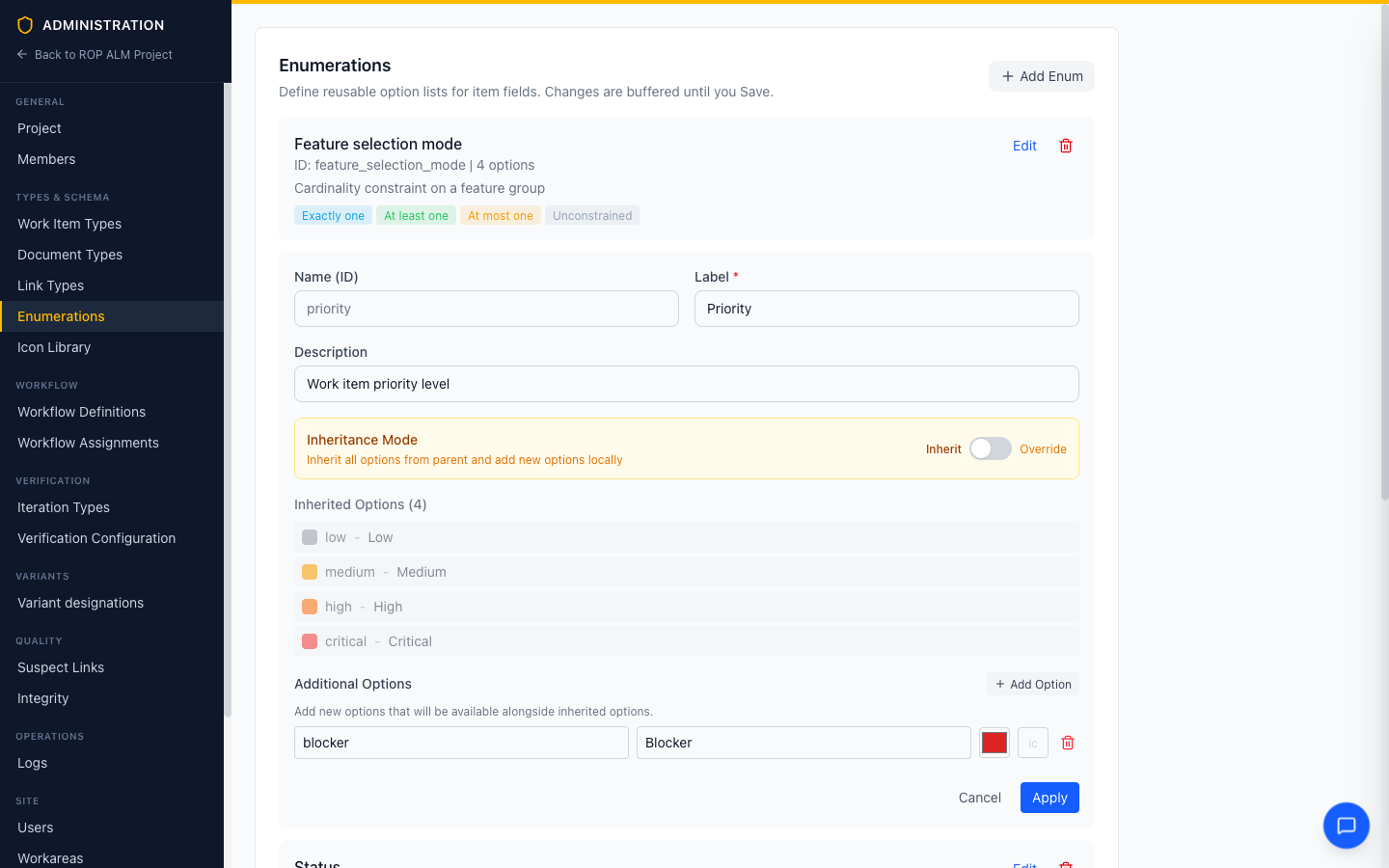 The global
 priority enumeration (Low / Medium / High / Critical) inherited into a workarea that adds one local option, Blocker. The inherited options are greyed out and locked.
This works across all three tiers: global can define priority, a group can add an option, and a workarea can add another — each tier extends the result of the tiers above it.
Override mode: replace the list
The Inheritance Mode switch at the top of the editor flips an inherited enumeration into Override mode:
| Mode | Behavior |
|---|---|
| Inherit (default) | Inherited options locked; local options append |
| Override | Your local option list completely replaces the inherited one |
Override exists for the case where the inherited list is genuinely wrong for this context — different vocabulary, different granularity. Use it deliberately:
Warning: An overriding tier disconnects itself from the parent enumeration. Options added to the parent later will not appear here, and values used by existing items must be covered by your replacement list or those items will show unresolved values.
New enumerations at any tier
Inheritance rules only kick in when the same enumeration name exists at multiple tiers. A new name simply exists at the tier where it’s defined:
- A group-level
asilenumeration (QM, ASIL A–D) is available in every workarea of that group, and invisible elsewhere. - A workarea-level enumeration is purely local.
Worked example
| Tier | priority enumeration | Resolved in the workarea |
|---|---|---|
| Global | Low, Medium, High, Critical | |
| Group | (adds) Safety-Critical | |
| Workarea | (adds) Blocker | Low, Medium, High, Critical, Safety-Critical, Blocker |
If the workarea instead switched priority to Override with options P1, P2, P3 — the resolved list would be exactly P1, P2, P3, and any later global or group changes to priority would be ignored by this workarea.
Practical guidance
- Extend, don’t override, whenever you can. Additions keep you connected to the shared vocabulary; overrides fork it.
- Choose stable values. Option values are what’s stored on items; labels and colors are presentation. Pick values you won’t need to rename.
- Statuses are special. Status options come from Workflows, not from directly editing a status enumeration — each workflow defines its own status set.