Suspect Links
Suspect link detection automatically flags traceability links when a linked item changes, alerting users that downstream items may need review.
How It Works
When an item is modified, ROPARC evaluates the suspect rules per link type. Incoming links whose link type’s rule matches the change (the changed field is among the rule’s trigger fields) are marked suspect — shown with an amber warning triangle. The system remembers the commit at which the link became suspect, so reviewers see a diff of exactly what changed since.
Configuration
Navigate to Settings → Quality & Variants → Suspect Links.
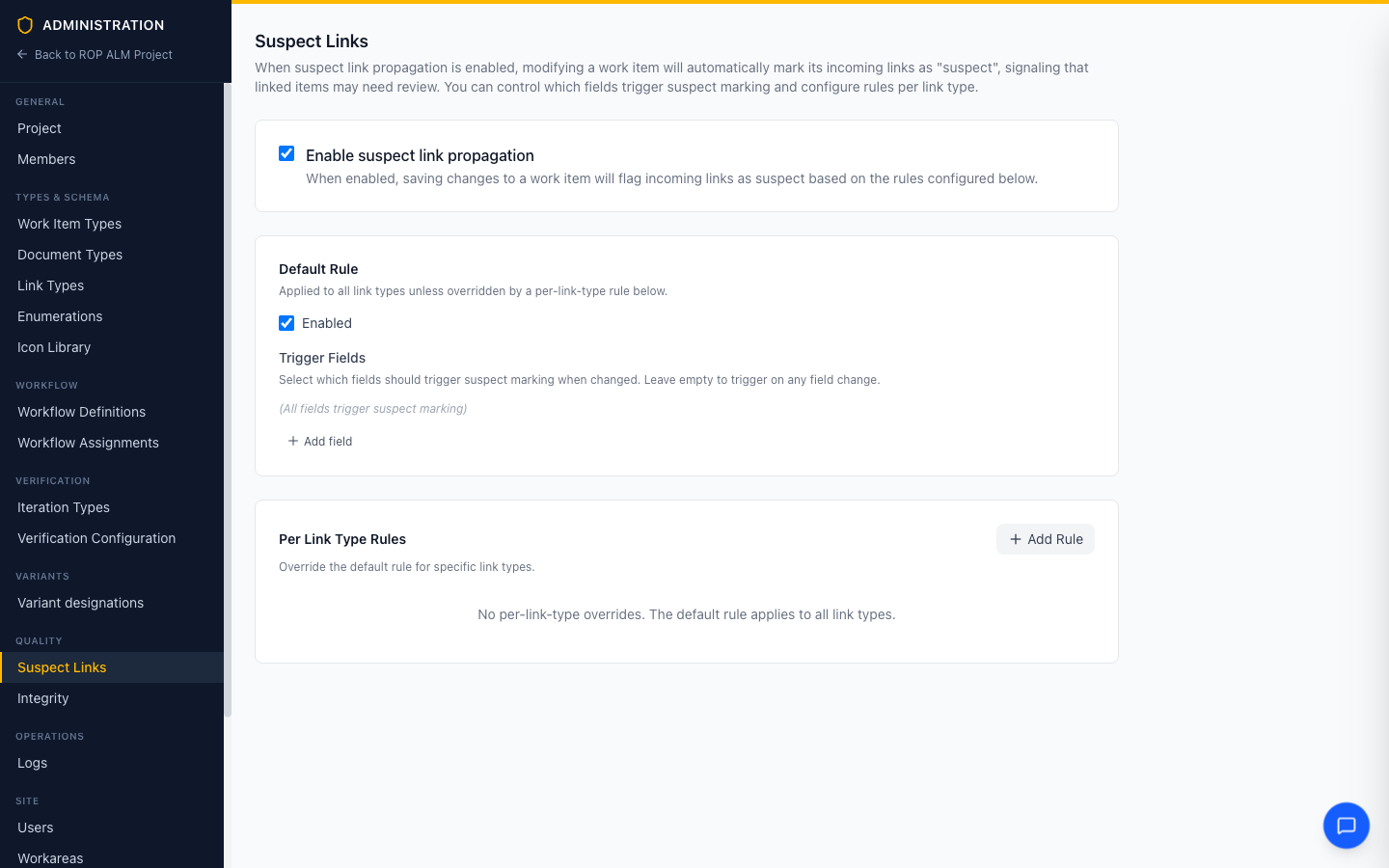
Note: Edits are buffered behind the Save bar at the bottom of the page.
Global Toggle
Enable suspect link propagation turns the feature on or off for the whole workarea.
Default Rule
The default rule applies to all link types unless overridden:
- Enabled — whether the rule is active
- Trigger Fields — which fields flag links when changed, picked from the standard fields (Title, Status, Description) and the custom fields of all item types. With no trigger fields selected, any field change triggers.
Per-Link-Type Rules
Override the default for specific link types with Add Rule: pick the link type, then configure its enabled state and trigger fields independently. Per-link-type rules take precedence over the default rule.
How suspect configuration resolves across the global/group/workarea tiers is covered in Workflow & Policy Inheritance.
Acknowledging Suspect Links
When a link is suspect, clicking its warning triangle opens a diff of the changes since the link was last known good, with an Acknowledge button; each link section also offers Acknowledge All. The day-to-day workflow is described in Item Links.
Tip: Suspect state is queryable —
has_suspect_links = truein the Query Language finds all items with unacknowledged suspect links.